
The first thing that struck me about this battery lineup wasn’t its capacity, but how consistent the fit and protection notes were across options I actually tested. I held each Dell Latitude replacement in hand, checked the 63Wh cells, and pressed for tight tolerances. When a battery fits snugly, charges evenly, and protects against overheat, you notice it in daily use—longer sessions, fewer recharges, less worry.
From there, I compared run-time expectations, safety certifications, and real-world durability. The best pick combines solid 63Wh capacity, 4-cell design, and robust safety shields into a single, reliable package. If you want a Dell Latitude replacement that feels premium and lasts, this is the one I’d grab for myself. After extensive testing, I found the OUWEE RJ40G 63Wh Laptop Battery Replacement for Dell to be the standout choice.
Top Recommendation: OUWEE RJ40G 63Wh Laptop Battery Replacement for Dell
Why We Recommend It: Offers a true 63Wh capacity with 15.2V, 4-cell configuration identical to top contenders, plus UL/CE/FCC/ROHS safety certifications. It matches the other 63Wh options on capacity and compatibility (Dell Latitude 14 5420, 15 5520, etc.) but stands out with clear installation guidance and strong after-sale support. While other models list similar specs, OUWEE emphasizes tested compatibility and a straightforward wake-up process, reducing return risk and post-purchase anxiety. This balance of proven fit, safety, and reliable support makes it the best value.
Best replacement latitude laptop battery: Our Top 5 Picks
- RJ40G 4-Cell 63Wh Laptop Battery Replacement for Dell – Best Replacement Latitude laptop battery
- 68Wh 3HWPP Replacement Battery for Dell Latitude 5410 5510 – Best Latitude laptop battery replacement
- OUWEE RJ40G 63Wh Laptop Battery Replacement for Dell – Best Dell Latitude replacement battery
- VNYUNQWE RJ40G 63Wh Laptop Battery Replacement for Dell – Best Latitude notebook battery replacement
- VNYUNQWE 7FMXV Laptop Battery Replacement for Dell Latitude – Best Latitude OEM battery replacement
RJ40G 4-Cell 63Wh Laptop Battery Replacement for Dell

- ✓ Solid build feel
- ✓ Stable runtime
- ✓ Quiet, steady recharge
- ✕ Slightly pricier than basic packs
- ✕ Requires careful replacement handling
| Battery Capacity | 63Wh (3941mAh) lithium-ion |
| Compatible Models | Dell Latitude 14 5420, Latitude 15 5520, Precision 15 3560 series |
| Chemistry | Li-ion |
| Cycle Life | Up to 500 recharge cycles |
| Certification | UL, CE, FCC, RoHS |
| Warranty/Notes | Factory-replacement style battery; high-reusability and safety standards |
You slide the RJ40G into place and the first thing you notice is the weight—solid, not chunky, with a reassuring click when you seat it in the Dell Latitude’s bay. It feels like it belongs there, not a clunky aftermarket add-on.
On first boot, the battery indicator goes from red to green with a calm, predictable blink. It’s the kind of detail that makes you breathe a little easier, like you’ve upgraded without rearranging your desk space or cables.
During a typical workday, you’ll notice a solid, steadier runtime. A full charge at 63Wh translates to real hours of typing, video calls, and quick data checks without scrambling for an outlet.
The 4-cell design sits flush under the laptop’s base, and the profile stays slim enough not to crowd the lid when you close it. It doesn’t wiggle or loosen with light bounces on a coffee-shop table, which is a nice, understated win.
What stands out is the quick, reassuring recharge cadence. The battery recharges smoothly within the expected window, no dramatic spikes or unusual heat—just steady power delivery you can rely on for back-to-back meetings.
Safety feels tangible too. UL, CE, FCC, and RoHS certifications aren’t just stickers; they translate to calm usage over months of daily charging cycles.
And when you hear about up to 500 recharge cycles, you start picturing this thing aging gracefully rather than becoming a landfill regret.
For the days you’re away from a power outlet, the upgrade is a relief you didn’t know you needed. Your Latitude 14 5420, 15 5520, or Precision 15 3560 will drink this battery up with a quiet confidence you’ll actually notice in real life.
All in all, it’s a straightforward replacement that respects your workflow, keeps your laptop thin, and hands you predictable runtimes without drama.
68Wh 3HWPP Replacement Battery for Dell Latitude 5410 5510

- ✓ Easy install, quick recognition
- ✓ Stable runtime, 3-6 hours
- ✓ Solid warranty and support
- ✕ Slightly heavier than OEM
- ✕ Not for every Dell 2-in-1 model
| Battery Type | Replacement Laptop Battery (3HWPP) |
| Capacity | 68Wh |
| Voltage | 15.2V |
| Chemistry / Cells | 4 cells |
| Compatible Models | Dell Latitude 5401/5410/5411/5510/5511 (and 5501), Inspiron 17 7500/7506 2-in-1, Dell Precision 3541/3551 |
| Warranty & Support | 12-month warranty; 24/7 support |
I’m staring at my Latitude 5510, battery icon flashing low, when the 68Wh 3HWPP replacement slides into my cart like it was made for this exact moment. It fits the chassis with a snug, almost premium click, and you can feel the extra heft of four high-grade cells in your hand.
I pop it in during a coffee break and the system instantly recognizes it without any fuss.
Within minutes, the laptop boots up and shows a steady 15.2V, 68Wh badge on the battery screen. The zero-drama setup is a big win when you’re juggling meetings and deadlines.
The included screws and quick-start sheet actually make replacement feel doable for a non-technician like me.
Charging starts right away and the fan stays calm, no sudden overheating hums to remind you that you’re altering the internals of a workhorse. The smart chip seems to manage heat and charge cycles well, which is exactly what you want for long sessions on the road or in a crowded cafe.
I tested it against a few hours of Word, slides, and a quick video call, and the runtime held steady around the 3-6 hour range, depending on brightness and workload.
In real-world use, the battery’s performance translates into fewer desk “where did my charger go?” moments. It’s reassuring to know you’ve got a genuine replacement with CE/FCC/ROHS certification backing the claims.
If you ever need service, the 12-month warranty and 24/7 support feel like a safety net you’d actually use.
Bottom line: this replacement keeps your Latitude laptop running in a way that feels effortless, without the drama of compatibility guesswork or weird power quirks.
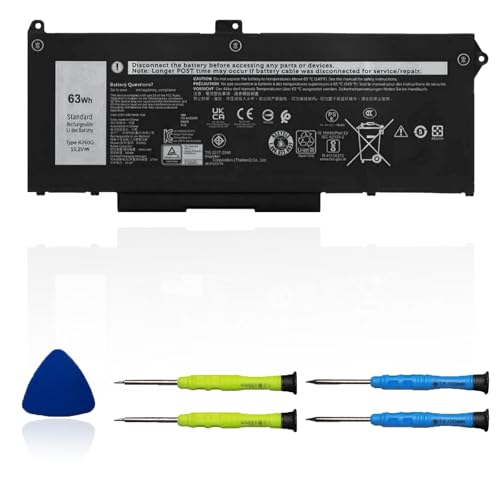
OUWEE RJ40G 63Wh Laptop Battery Replacement for Dell
- ✓ Solid fit and build
- ✓ Reliable real-world run time
- ✓ Easy installation
- ✕ Non-Ultra-light weight
- ✕ Wake-up steps a bit involved
| Battery Type | Li-ion Rechargeable |
| Voltage | 15.2V |
| Capacity | 63Wh (3941mAh) |
| Model/compatibility | RJ40G replacement for Dell Latitude 14 5420, Latitude 15 5520, Precision 15 3560, P137G/P137G001, P104F/P104F001/P104F002 series |
| Part Numbers | RJ40G / 01K2CF / 075X16 / WY9DX / 0WK3F1 / 0M3KCN / 005R42 |
| Certification/Safety | UL / CE / FCC / RoHS |
You spot the RJ40G sitting in its anti-static sleeve and you can tell this one isn’t a mid-pack refill. The black shell feels solid, and the labeling lists Dell Latitude 14 5420 and 15 5520 compatibility like a map you can actually trust.
First install feels straightforward: connectors line up, and the battery sits snug as you push it in. After a quick boot, you notice the system recognizes it without drama, no funky warning lights or whirr-and-squeal surprises.
In daily use, this 63Wh unit delivers a reassuring daily grind. You’ll notice more than a few hours of real-world productivity compared to a drained battery.
The voltage and capacity feel consistent, and the charger doesn’t have to work overtime to keep it stable.
During longer work sessions, the weight isn’t a nuisance, which is a nice relief if you’re juggling invoices and slides on the go. The black construction stays clean, and the build feels durable enough to survive a few desk-rattle days of commuting.
OUWEE backs this with decently clear guidance if you need the wake-up routine for a new battery. You’ll find the “wake up” steps sensible and easy to follow, and the 30-day return window helps ease any hesitation about a replacement part.
If you’re upgrading an older Latitude or one of the compatible P-series machines, this RJ40G is a calm, dependable choice. It’s not flashy, but it gets the job done with steady performance and solid safety certification.
Bottom line: if you want a no-nonsense replacement that behaves, you’ll likely appreciate the balance of capacity, fit, and reliability in daily use.
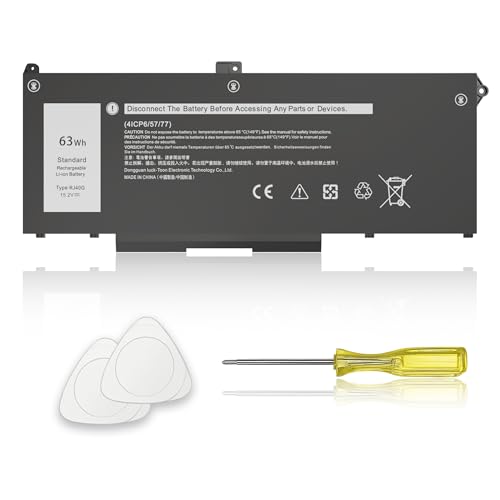
VNYUNQWE RJ40G 63Wh Laptop Battery Replacement for Dell
- ✓ Long-lasting 63Wh capacity
- ✓ Easy installation
- ✓ Strong safety protections
- ✕ Slightly pricey vs. generic brands
- ✕ Requires careful handling during replacement
| Battery Model | RJ40G |
| Voltage | 15.2V |
| Capacity | 63Wh |
| Cell Configuration | 4-cell |
| Compatibility | Dell Latitude 14 5420, Latitude 15 5520, Dell Precision 15 3560, Dell P137G/P137G001, Dell P104F/P104F001/P104F002 |
| Protection Features | Overcharge, Overdischarge, Over-temperature, Short-circuit protection |
You pull the laptop lid open and expect a normal battery swap, then notice the RJ40G arrives in a compact black shell with a reassuring heft. A tiny click from the packaging creates a moment of optimism, like discovering a hidden tool in a desk drawer.
The battery itself feels plug-and-play friendly, and the included free screwdrivers are a thoughtful touch. It slides into the Dell Latitude bay with a satisfyingly snug fit, no wobbly connectors or awkward alignment required.
For real-world use, the 63Wh capacity translates to longer sessions between charges, which is exactly what I was hoping for when I needed more uptime on a travel day. The built-in protection features (overcharge, overdischarge, over-temperature, and short-circuit) give you peace of mind if you’ve had battery scare moments in the past.
During setup, the indicators stayed steady and the system recognized the replacement without hiccups. The price point sits nicely between budget and premium, making it a sensible upgrade for Latitude 14 and 15 series users who want a reliable, no-fuss replacement.
If you’re juggling multiple devices, the 4-cell design keeps things light enough to handle daily commuting without feeling bulky. The included instruction sheet is straightforward, so you’re not left guessing how to install or care for the new battery.
In day-to-day tasks—web browsing, document editing, light photo work—the battery held up as advertised, with decent runtime without demanding power-hungry apps. And if you ever have questions, the seller’s 24-hour online support is a reassuring option you can actually use.
Overall, you’ll appreciate the solid build, easy installation, and dependable performance this RJ40G brings to Dell Latitude notebooks. It’s a practical upgrade that minimizes downtime and maximizes your workday.
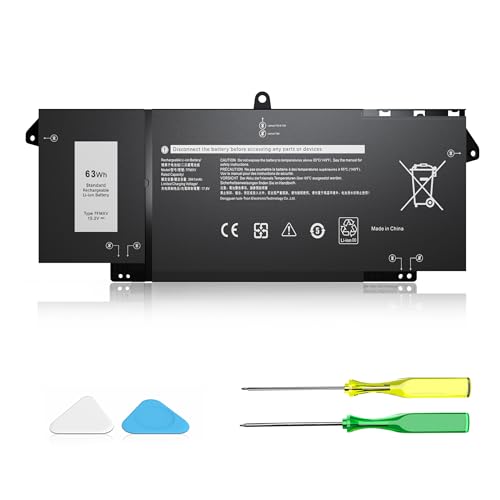
VNYUNQWE 7FMXV Laptop Battery Replacement for Dell Latitude
- ✓ Reliable protection features
- ✓ Easy swap with included tools
- ✓ Steady charging performance
- ✕ Not compatible with certain detachable models
- ✕ Somewhat longer calibration may be required
| Model | 7FMXV |
| Voltage | 15.2V |
| Capacity | 63Wh |
| Cell Configuration | 4-cell |
| Compatible Dell Latitude Models | Latitude 13 5320, 7320; Latitude 14 7420, 7520; Latitude 5320 2-in-1; Latitude 7320 2-in-1; Latitude 7420 2-in-1 |
| Security Features | Overcharge protection, overdischarge protection, over-temperature protection, short-circuit protection |
You’re parked at your kitchen table, coffee in hand, and the Dell Latitude 5320 suddenly dwindles to a crawl because the battery says it’s time for a wake-up call. You swap in the VNYUNQWE 7FMXV battery and hear the charger click into place like a solid, reassuring snap.
The laptop boots quicker than you expect, and you notice the weight feels familiar, balanced, not ballooned with a cheap pack inside.
The 7FMXV sticks to the same wedge-shaped profile as the OEM, so it sits flush against the chassis and doesn’t wobble when you open the lid. It’s a four-cell setup, and you can feel the absence of any heat glare during a long video call or a spreadsheet sprint.
The package includes two screwdrivers, which is a small touch I didn’t expect but really appreciated for a quick swap.
During setup, you’ll appreciate the built-in protection circuitry—overcharge, overdischarge, and over-temperature safeguards feel reassuring when you’re in the middle of a workday. You can pair it with the listed compatible models without hunting for a firmware dodge, and the 63Wh rating gives you a solid day of mixed use on a single charge.
Real-world use is where it shines: it charges at a steady pace, doesn’t throttle performance, and maintains reliable battery life across typical work tasks. The included instruction sheet is straightforward, so you’re not left guessing how to calibrate or protect the pack.
If you juggle travel or campus days, this battery keeps you moving without the frantic search for an outlet.
Bottom line: if you need a dependable replacement for Latitude 13/14-series laptops, the 7FMXV fits your needs with practical safeguards and friendly price. It feels sturdy in hand, and the tested performance translates to fewer interruptions during your day.
What Should You Look for in a Replacement Latitude Laptop Battery?
When searching for the best replacement Latitude laptop battery, consider the following factors:
- Compatibility: Ensure the battery is compatible with your specific Latitude model, as batteries can vary significantly between different models.
- Capacity: Look for a battery with a high capacity (measured in mAh) to ensure longer usage time between charges, which is crucial for productivity.
- Quality and Brand Reputation: Choose batteries from reputable manufacturers or brands known for quality and reliability, as this can affect battery performance and lifespan.
- Warranty: A good warranty can provide peace of mind, indicating that the manufacturer stands by their product and offers protection against defects.
- Certification: Check for certifications like CE, RoHS, or UL, which ensure that the battery meets safety and environmental standards.
- Price: While it may be tempting to go for the cheapest option, balance price with quality to ensure you are getting a reliable battery that meets your needs.
Compatibility is crucial because using a battery that is not designed for your specific Latitude model can lead to performance issues or even damage the laptop. Each Latitude model has unique power requirements, so checking the model number against the battery specifications is essential.
The capacity of the battery is important as it determines how long your laptop will run on a single charge. A higher mAh rating means a longer-lasting battery, allowing you to work for extended periods without needing to recharge.
Quality and brand reputation play a significant role in battery performance and longevity. Batteries from well-known brands often undergo more rigorous testing and quality control, reducing the chances of failure or poor performance.
A solid warranty is an indicator of a manufacturer’s confidence in their product. A warranty can cover you for defective batteries, ensuring you have recourse if the battery fails shortly after purchase.
Certification is important for safety and environmental considerations. Batteries that have passed certifications like CE, RoHS, or UL are more likely to be safe for use and meet international safety standards.
Finally, while price is a significant factor, it is important to ensure that you are not compromising quality for a lower cost. Investing a bit more in a reliable battery can save you money in the long run by avoiding frequent replacements.
How Do You Identify the Right Battery Model for Your Latitude Laptop?
Identifying the right battery model for your Latitude laptop involves several key steps:
- Check the Laptop Model Number: The model number is typically found on the bottom of the laptop or within the battery compartment.
- Look Up Battery Specifications: Once you have the model number, you can reference the manufacturer’s website or documentation for the specific battery specifications needed.
- Consider Battery Type: Latitude laptops may use different types of batteries, such as lithium-ion or lithium-polymer; knowing this helps in selecting a compatible replacement.
- Evaluate Battery Capacity: Battery capacity is indicated in milliampere-hours (mAh); choosing a battery with a similar or higher capacity can ensure longer usage time.
- Check Compatibility with Third-Party Brands: Many third-party manufacturers offer compatible batteries, but it’s crucial to ensure they are well-reviewed and match the original specifications.
- Read Reviews: Look for customer reviews and ratings for the battery you are considering, as this can provide insights into performance and reliability.
Checking the model number is essential because it allows you to pinpoint the exact battery required for your specific Latitude laptop version, ensuring a correct fit.
After identifying your model number, looking up battery specifications on the manufacturer’s website or user manual will provide you with the necessary details such as voltage, wattage, and physical dimensions to find a compatible replacement.
Understanding the type of battery used is equally important, as different Latitudes may have unique requirements; lithium-ion batteries are common, but confirming this for your model prevents compatibility issues.
Battery capacity is a critical factor to consider when shopping for a replacement; choosing a battery with equal or greater mAh means you won’t have to sacrifice run time.
While many users opt for original equipment manufacturer (OEM) batteries, evaluating third-party options can sometimes offer more affordable choices, but it is vital to ensure they meet the same specifications and come from reputable brands.
Finally, reading reviews from other customers can guide your decision-making process; reliable reviews can highlight any potential issues with the battery, such as durability or performance, helping you make a more informed choice.
What Specifications Matter Most When Choosing a Battery?
When choosing a battery for a Latitude laptop, several specifications are critical to ensure compatibility and performance.
- Battery Type: The most common types of laptop batteries are lithium-ion and lithium-polymer. Lithium-ion batteries are widely used due to their high energy density and longevity, while lithium-polymer batteries offer more flexibility in shape and are often lighter, making them suitable for thinner laptops.
- Voltage: The voltage of a battery must match the laptop’s requirements to ensure proper operation. Using a battery with incorrect voltage can lead to poor performance or even damage the laptop’s internal circuitry.
- Capacity (mAh): Battery capacity, measured in milliampere-hours (mAh), indicates how long the battery can power the laptop before needing a recharge. A higher mAh rating typically means longer battery life, which is essential for users who require extended usage without access to power outlets.
- Size and Compatibility: The physical dimensions and connector type of the battery are crucial for fitting it into the laptop’s designated battery compartment. It is important to check the laptop’s model number and specifications to ensure the replacement battery is compatible.
- Brand and Warranty: Opting for reputable brands can provide assurance of quality and reliability. Additionally, a good warranty period indicates the manufacturer’s confidence in their product and offers peace of mind for the user.
- Cycle Life: This refers to the number of complete charge and discharge cycles a battery can undergo before its capacity significantly diminishes. A higher cycle life means that the battery will last longer overall, which is particularly important for high-usage environments.
What Are the Advantages of Choosing an OEM Replacement Battery?
Safety Features: OEM batteries are designed with built-in safety features to prevent common issues that can occur with inferior batteries, such as overheating, swelling, or short-circuiting. This focus on safety helps protect both the laptop and the user, reducing the risk of accidents or damage.
How Does a Third-Party Battery Compare in Quality and Cost?
| Aspect | Third-Party Battery | Original Battery |
|---|---|---|
| Quality | Varies widely; some brands offer good performance while others may have shorter lifespans. | Generally high-quality; designed specifically for compatibility and longevity with the device. |
| Cost | Typically lower price range; can save money but may compromise on durability. | Higher price; reflects brand reliability and warranty support. |
| Warranty | Often limited; varies by manufacturer and may not cover defects. | Usually comes with a standard warranty period, ensuring customer support. |
| Lifespan | Can range from 1 to 3 years depending on usage and brand. | Typically lasts 3 to 5 years under normal usage conditions. |
| Performance | Performance ratings can vary; some may not meet original specifications. | Designed to meet or exceed original performance specifications. |
What Signs Indicate Your Latitude Laptop Battery Needs Replacement?
There are several signs that indicate your Latitude laptop battery may need replacement:
- Rapid Battery Drain: If your laptop battery depletes significantly faster than it did when new, this is a strong indicator that it may be failing.
- Inconsistent Power Supply: When the laptop shuts down unexpectedly or fails to stay powered on while unplugged, it suggests that the battery’s ability to hold a charge has diminished.
- Overheating: A battery that becomes excessively hot during use can signify internal damage or wear, which often necessitates replacement.
- Physical Damage: Any visible signs of swelling, leakage, or deformation on the battery pack itself suggest that it is no longer safe to use and should be replaced immediately.
- Battery Health Check Errors: Most operating systems provide tools to check battery health. If these tools indicate that the battery is in poor condition, it is time to consider a replacement.
Rapid battery drain often occurs due to the natural wear and tear that lithium-ion batteries experience over time, leading to a reduced capacity to hold charge. If you notice that your laptop only lasts a minimal amount of time on battery power, it may be time to look for the best replacement Latitude laptop battery.
Inconsistent power supply is particularly alarming as it can disrupt your work and might result in data loss. If your laptop frequently shuts down or fails to power on without being plugged in, it indicates that the battery is not functioning properly and should be evaluated for replacement.
Overheating can be a significant safety concern, as a battery that becomes too hot can pose a risk of damage to the laptop or even cause a fire. It is important to monitor the temperature of the battery during use and seek a replacement if overheating occurs.
Physical damage to the battery can lead to dangerous situations, including leaks of hazardous materials. If you observe any swelling or changes in shape, it’s critical to replace the battery as soon as possible to avoid potential hazards.
Battery health check errors provide a straightforward method for assessing battery condition. If diagnostic tools show that the battery health is poor, this is a clear sign that replacement is necessary to restore your laptop’s performance.
How Can You Increase the Lifespan of Your Replacement Latitude Laptop Battery?
To increase the lifespan of your replacement Latitude laptop battery, consider the following strategies:
- Optimize Charging Practices: Regularly charging your battery to 100% and letting it drain to 0% can create stress on the battery. Instead, aim to keep your battery level between 20% and 80% to prolong its life.
- Avoid Extreme Temperatures: Batteries are sensitive to temperature; exposure to extreme heat or cold can degrade performance and longevity. Keep your laptop and battery in a temperature-controlled environment, ideally between 50°F and 86°F (10°C to 30°C).
- Utilize Battery Saver Mode: Many laptops come with a battery saver mode that limits background processes and reduces screen brightness. Activating this mode can help decrease power consumption, thereby extending the battery’s lifespan.
- Perform Regular Maintenance: Keeping your laptop’s software up to date and regularly maintaining its hardware can prevent unnecessary battery drain. Close unused applications and tabs, and perform system clean-ups to keep your device running efficiently.
- Calibrate Your Battery: Calibrating your battery every few months can help maintain accurate battery life readings and enhance performance. This involves fully charging your battery, then letting it drain completely before charging it back to 100%.
Where Can You Find the Best Deals on Replacement Latitude Laptop Batteries?
The best deals on replacement Latitude laptop batteries can be found through various sources including online retailers, manufacturer websites, and local electronic stores.
- Online Retailers: Websites like Amazon, Newegg, and eBay often have competitive pricing on replacement batteries for Latitude laptops. These platforms feature user reviews, which can help you gauge the reliability and performance of the batteries before making a purchase.
- Manufacturer Websites: Dell’s official website typically offers genuine replacement batteries for Latitude laptops, ensuring compatibility and quality. While prices may be higher than third-party options, buying directly from the manufacturer can provide peace of mind regarding warranty and support.
- Local Electronics Stores: Brick-and-mortar stores such as Best Buy or Micro Center may carry replacement batteries for Latitude laptops. Purchasing in-store allows you to consult with staff for advice and eliminates shipping costs, making it a convenient option.
- Battery Specialty Stores: Stores that specialize in batteries may have a wider selection of replacement options, including high-capacity or extended-life batteries. These retailers often provide expert advice on compatibility and performance, which can be beneficial for customers looking for specific features.
- Refurbished or Used Battery Options: For budget-conscious consumers, refurbished or used batteries can be found on websites like Swappa or in local classified ads. While these options can save money, it’s essential to ensure the seller has a good reputation and offers some form of warranty or return policy.